A slow computer not only causes a loss of productivity to computer users, it is also a reason for a lot of frustration. Sometimes, the users may feel overwhelmed by this problem and contemplate using the services of computer maintenance experts. This could cost a considerable amount of money. Or, they may spend a lot of time searching for information by posting questions like “How I can speed up my computer?” on various technology websites and forums. While sometimes the help of a computer expert may be necessary to take care of a PC, most of the time a common computer user can follow steps that are easy to implement and can save them a substantial amount of time and money.
Listed below are 3 of the most common reasons why computers all over the world slow down and the steps a PC user can follow to take care of these problems:
Reason 1: It could be the clutter in your Hard Disk
Your hard disk is comparable to a closet that stores all your clothing. Often we ignore our closet and it becomes cramped and chaotic. Eventually, finding anything in that closet takes more and more time as things get out of place and items that you no longer wear are still there taking up space. Similarly, ignoring the hard disk may lead to a slow down of your PC as it takes longer for your PC to find and process files.
A computer user can easily avoid this situation by regularly performing preventive maintenance of the hard disk. In order to clean the hard disk, all computer owners must regularly use the two utilities that come with the Windows Operating System. They are:
1. Disk Cleanup Tool: This utility frees the space in your hard drive. It performs a comprehensive search of your hard disk and then deletes the files that are not required.
2. Disk Defragmenter Tool: This utility enhances the performance of a PC by rearranging the files in an orderly manner.
Reason 2: It could be the Unwanted Programs and Applications
It is commonly noticed that most computer users are unaware of the impact of unwanted programs on the speed of a computer. These programs eat up a lot of computer resources and ultimately slow it down. These unwanted programs include:
1. Programs that may come bundled with a new PC and are of no use to a user.
2. Programs that were used in the past but are not required anymore.
3. Programs that are unknowingly downloaded from the internet and installed.
In order to get rid of these unwanted programs, users can either search for the programs and use the uninstall option provided in the Start menu or use the Add/Remove Program utility provided in the Control Panel of the operating system.
Reason 3: It could be the registry
Problems in the Windows Registry, a key component of the operating system may be behind the dismal performance of a PC. The registry is a central database containing vital information about the functioning of a computer. A computer accesses this information regularly to perform various tasks. Due to extensive usage of the registry, computers become prone to Windows registry error problems. A computer user can easily take care of this by opting for one of the reliable registry cleaners available online. These easy to use tools scan, repair and perform backups of the registry automatically. Most users prefer to use a registry cleaning software over having to perform the tedious and risky process of manually editing the registry.
Source: http://goo.gl/Ez0Jk


- Find out what I'm doing, Follow Me :)
Showing posts with label Computer problems. Show all posts
Showing posts with label Computer problems. Show all posts
Common computer problems and Easy fixes
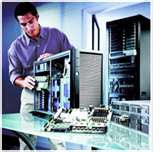
If you have computer, then you have probably face these computer problems before. Once you purchase a computer, you must accept that sooner or later it will eventually crash due to a virus or some other massive error. If someone told you that your computer will last more than a decade, don’t believe it because it is just a myth or another sales pitch. But of course, you should take care of it if you want it to last for its third year without any defects. However, there are many people that would prefer to buy a new computer than spend some time trying to fix or figure out the problem with their laptop or desktop.
Usually you will need some kind of maintenance because your computer will tend to lose its original speed and performance. Well, here are some if the common problems that a computer user usually experience. Most of the time the biggest problem that your computer has is YOU – the owner or the user. There are many people that neglect the first signs of computer problems. You shouldn’t neglect those simple maintenance tasks that can enhance or prolong the life of your computer.
1. Computer speed or performance has slowed. There are several reasons why this happens to your computer. Lack of maintenance, fragmented data, corrupted registry, spyware, and unnecessary loading of computer programs and services can surely affect your PC speed and performance. Managing your programs and cleaning your registry can easily boost your computer’s performance speed up to 30%.
2. Computer system freezes and blue screens of death. You need to do some serious diagnostic procedures to effectively know the problem with your computer. Computer virus or spyware are maybe some of the reasons to your computer. Update your anti-spyware removal immediately to avoid this kind of problem and thoroughly scan your computer to see if it has any viruses or spywares. If you find that your computer is free from spyware then updating your hardware drive is the next step. Hardware drives makes it easier for your computer to effectively communicate with other hardware components. Without an updated driver the CPU locks up and may cause problems when you are using your computer. If that doesn’t work try to increase your Computer RAM to help avoid computer freezes. By increasing the RAM you get more use out your computer's computing power.
3. The computer keeps on rebooting again and again. This kind of problem is usually associated with hardware issue. Faulty power supply is usually the cause of this problem. Dirty or defective cooling fan is another reason why your computer is rebooting spontaneously. When your computer is trying to cool itself when the fan is defective it automatically switches off. Dust that accumulated in your computer can trap the heat inside which makes it hotter. What you should do is to clean the fan and make sure that it is running properly. Do not forget to check your power supply.
4. Noises and vibrations. This one is almost certainly that you have hardware issue. High pitched noises can be caused by electronic components. Whatever the reason, you conduct a small investigation. Unplug your computer and remove the case and run the computer to discover the origin of noise. If a loose wire or faulty fan is not the one that is making the noise then it may be time to call a computer tech to help you with your problem.
5. Your browser home page changed itself. It is known as "high-jacking" which is also caused by a Spyware installed on your system. The spyware in your computer installed a java script into your web browser that tells your browser to change settings hence changing the default home page of your browser. What you can do is to run an anti-virus or spyware program to remove the spyware from your computer. All of the problems stated in this article can be avoided easily by simply maintaining your computer.
